Effective communications for the office environment
by Paul Rowlingson , vnunet.com
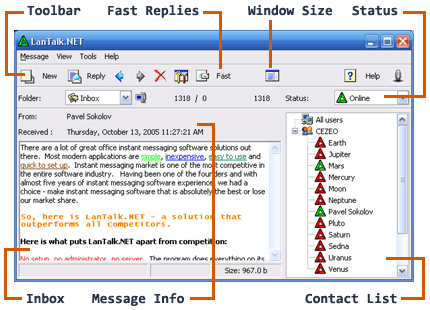
Click to see more screenshots

10 May 2004
LanTalk is a secure instant messaging program designed for business use. Messages are limited to 32KB in size and it is not possible to transfer files.
The program has a clean, uncluttered interface that can be mastered in minutes. Many aspects are customisable, such as fonts, colours and the alert method used to inform you of a new message.
Messages can be sent to individuals, specific groups (which need to be set up) or everybody. Sent messages are stored for later retrieval and they can also be exported to a text file.
Busy people are catered for with the ability to create up to seven 'auto-answers' and 'fast-replies'. The former can be sent automatically on receipt of a message, and the latter are default replies that can be sent with one click.
Scheduling features allow you to create a message and set it to be sent at a particular time.
Search tools enable you to quickly locate a message, whether its one you've sent or received.